
Atlas: your knowledge base builds itself.
The Atlas is the graph of the people, organizations and projects in your work. You do not fill it in: it is populated by what you write in your notes, what is said in your meetings and what you put in your documents. Every entity ends up with an entry, an article that writes itself and its links to everything else, each one showing where it came from.
What an entity is
An entity is anything you talk about often enough to deserve its own entry. There are five types, each with its colour and its shape in the graph — shape as well as colour, so it reads the same with colour blindness.
People
Who you work with. Their entry gathers their tasks, the meetings they appeared in, the documents that name them and their history across your notes.
Organizations
Clients, vendors, teams. The full view of a relationship on one screen.
Projects
What you are building. The natural unit for looking at progress without opening a project manager.
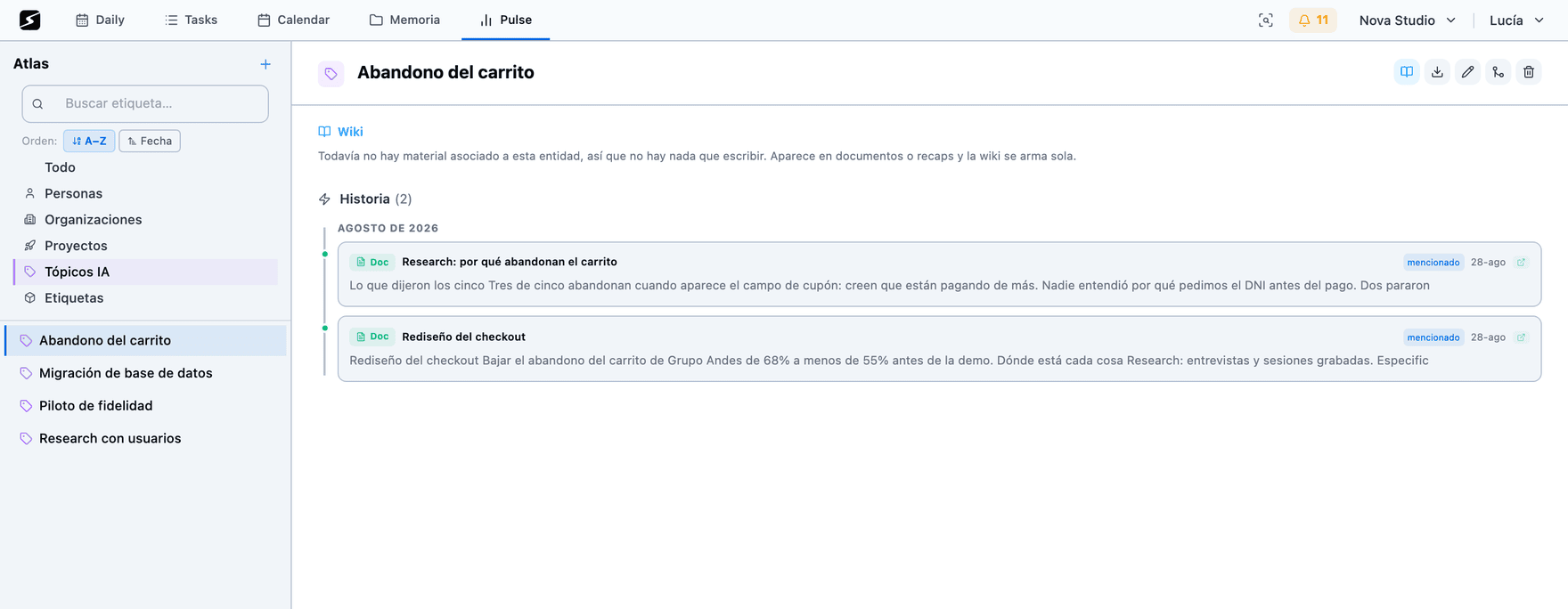
Topics · Hobby
Themes the AI recognizes as recurring in your material even though nobody declared them.
Tags
Everything else you want to cross-reference: products, processes, places, concepts.
How it fills up, without you filling it
The Atlas has no registration screen to complete. Entities arrive by four paths, and all four are things you were going to do anyway:
- You write a name in the daily note and detection proposes it as an entity.
- Someone shows up in a recap and the meeting is linked to that person and their organization.
- You name something in a document using autocomplete and the mention is linked.
- You create it by hand, when you want to prepare the ground before it shows up.
Every mention adds material to the entity. That accumulation is what later gives the article, the relations and the signals something to be built from.
The three layers of the graph
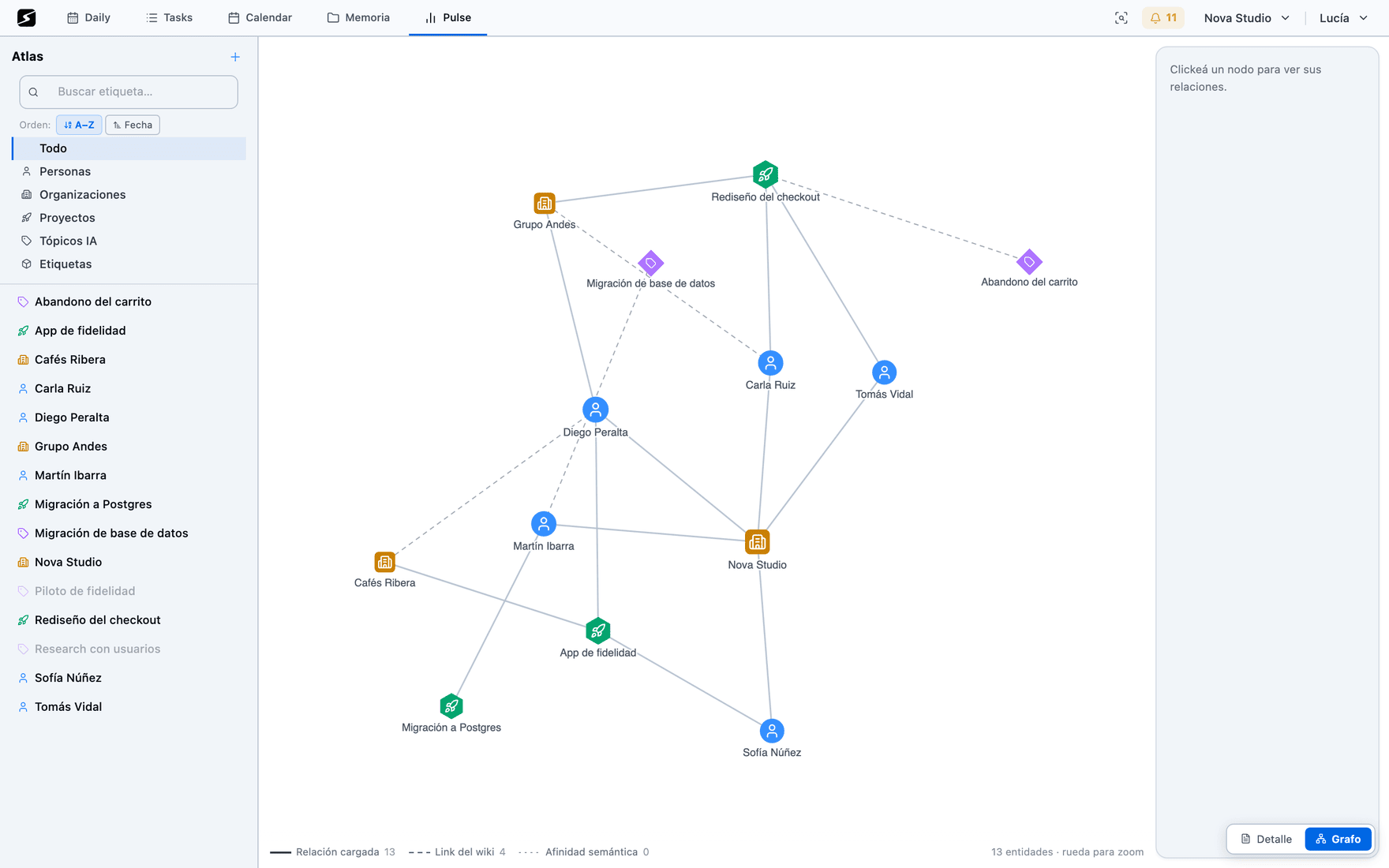
If every link is drawn the same way, you cannot tell what a person asserted from what a machine inferred. Here each layer is drawn differently.
- 1Declared relationA person stated it: client, team, partner, reports to. It is the strongest and it wins any conflict, because there is someone standing behind it.
- 2Wiki linkOne entity's article names another. It is a real, verifiable link — it is written down — but nobody declared it as a relation: it is inferred from the text.
- 3Semantic affinityNobody wrote it: they keep showing up together in meetings, tasks and documents. This is the layer that discovers things, which is why it is drawn faintest: it is a lead, not a fact.
In the graph, hovering a node lights up its neighbourhood and dims the rest, so you can read what depends on whom without getting lost in the mesh.
The wiki that writes itself
Every entity has an article generated from all the material it appears in: your notes, your recaps, your documents, its tasks.
- It is stored, not held in memory: it can be cited, linked and read again.
- The WhatsApp and Telegram assistant reuses it · Pro: when you ask it something about a client, the answer starts from their article. See WhatsApp and Telegram.
- It is regenerated whenever you want, with the new material accumulated since last time.
- Articles link to each other, and those links are the graph's second layer.
What the Atlas infers by looking at content
Three signals, all computed over the vectors of the material rather than over names. That is why they find things a name search does not.
Similar entities
Each entity's centroid — the average of all the material it appears in — is compared, so it measures what it is about, not what it is called. It finds duplicates the name does not betray, and sibling entities by theme.
Candidate relations
Co-occurrence measured with normalized PMI: appearing often is not enough, they have to appear together more than chance would explain. It proposes the relation and you confirm it.
Neighbourhood strength
Affinity with every neighbour, with no threshold, to rank suggestions when you are looking for what to relate something to.
Merge, clean and maintain
A graph that grows on its own gets dirty on its own. These are the tools that keep it usable:
- Merge entities — "Acme", "Acme Inc" and "acme" are the same. Merging consolidates all material and all relations into a single entry.
- Automatic merge of obvious duplicates — the ones detected by vector with high confidence are proposed for merging.
- Purge — entities left with no material, or that should never have been created, are removed in bulk.
- Link a person to a real user — when the Atlas person is someone who also uses secondbrain, they connect, and shared tasks and documents become the same objects for both.
An entity's entry
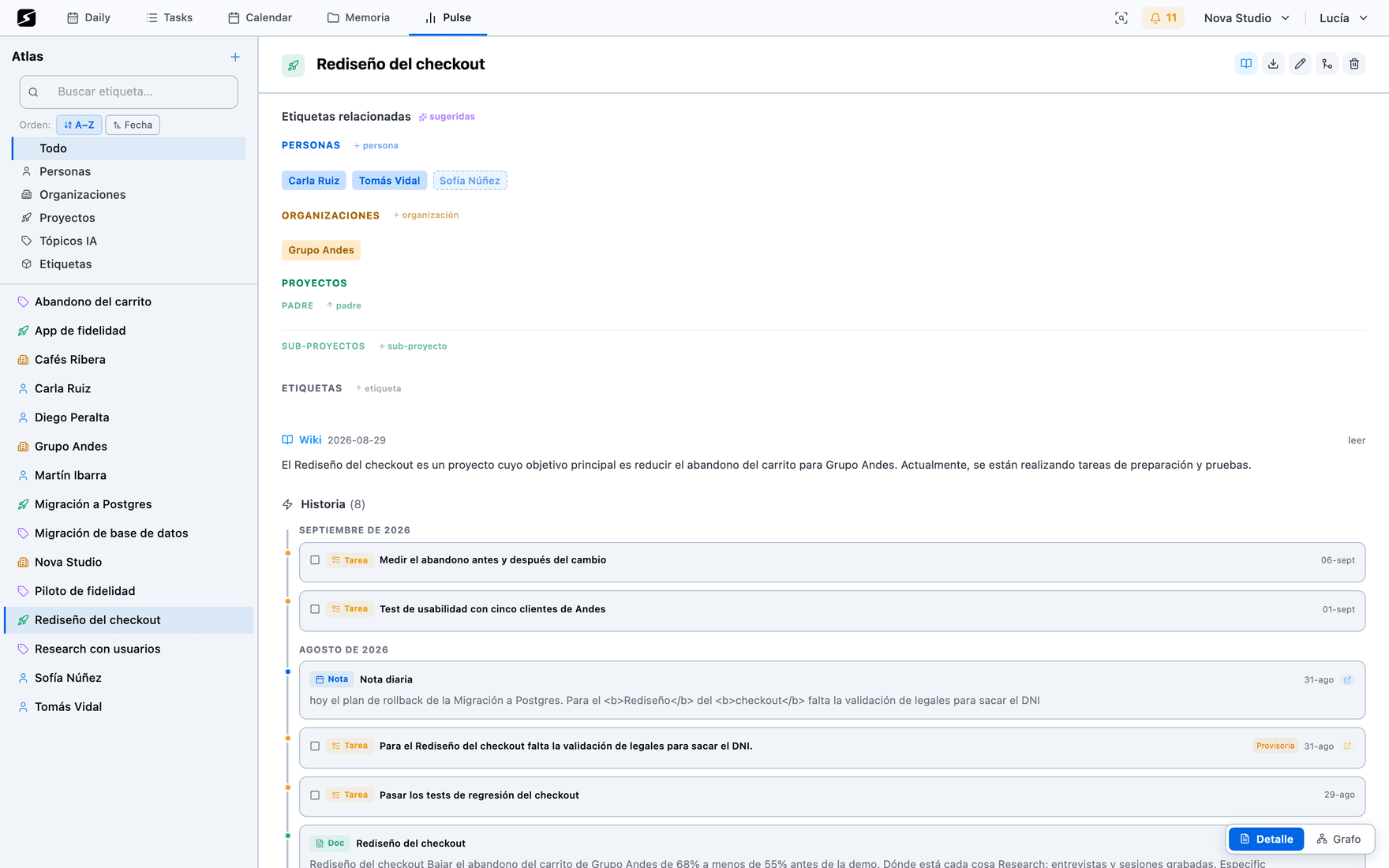
Opening an entity shows everything about it together, on one screen: its article, its relations by layer, its open and closed tasks, the documents it appears in, the meetings where it was discussed and the stretches of your notes that name it, with their dates.
It is the screen you open before a client meeting, and it replaces ten minutes of searching across three different apps.
Recaps and reports: what the Atlas gives back
The Atlas is not only somewhere to look: it is the structure that makes automatic summaries say something.
- Every recap links its entities when it finishes, so a client's entry fills up with every meeting you have.
- Period reports — day, week, fortnight — group what you did by theme and by entity, not chronologically. That is why they are readable: they tell you what your week was about, not the order it happened in.
- Reports are scheduled and arrive by email, and stay stored for reference.
- The WhatsApp and Telegram assistant · Pro answers using the article and the neighbourhood of the entity you named, instead of hunting for loose words.
Integrations
MCP
External AI clients (Claude, ChatGPT and others) can query and operate your workspace over the MCP protocol, only with the token you generate.
Over MCP, an AI client can search entities, read an entry, create and update entities, manage relations, merge duplicates and list each one's tasks. It is how serious analysis over the graph gets done. See MCP.
Shall we try it?
Create your free account and use all of this today.