Your AI workspace — solo or shared

Your second brain
for planning,
knowledge
and execution.

Plan smarter. Capture knowledge. Generate with AI.
It’s your space — share the parts you choose.

No card · when it ends, your account stays free

Free — no time limit AI that understands your work Web, desktop and mobile
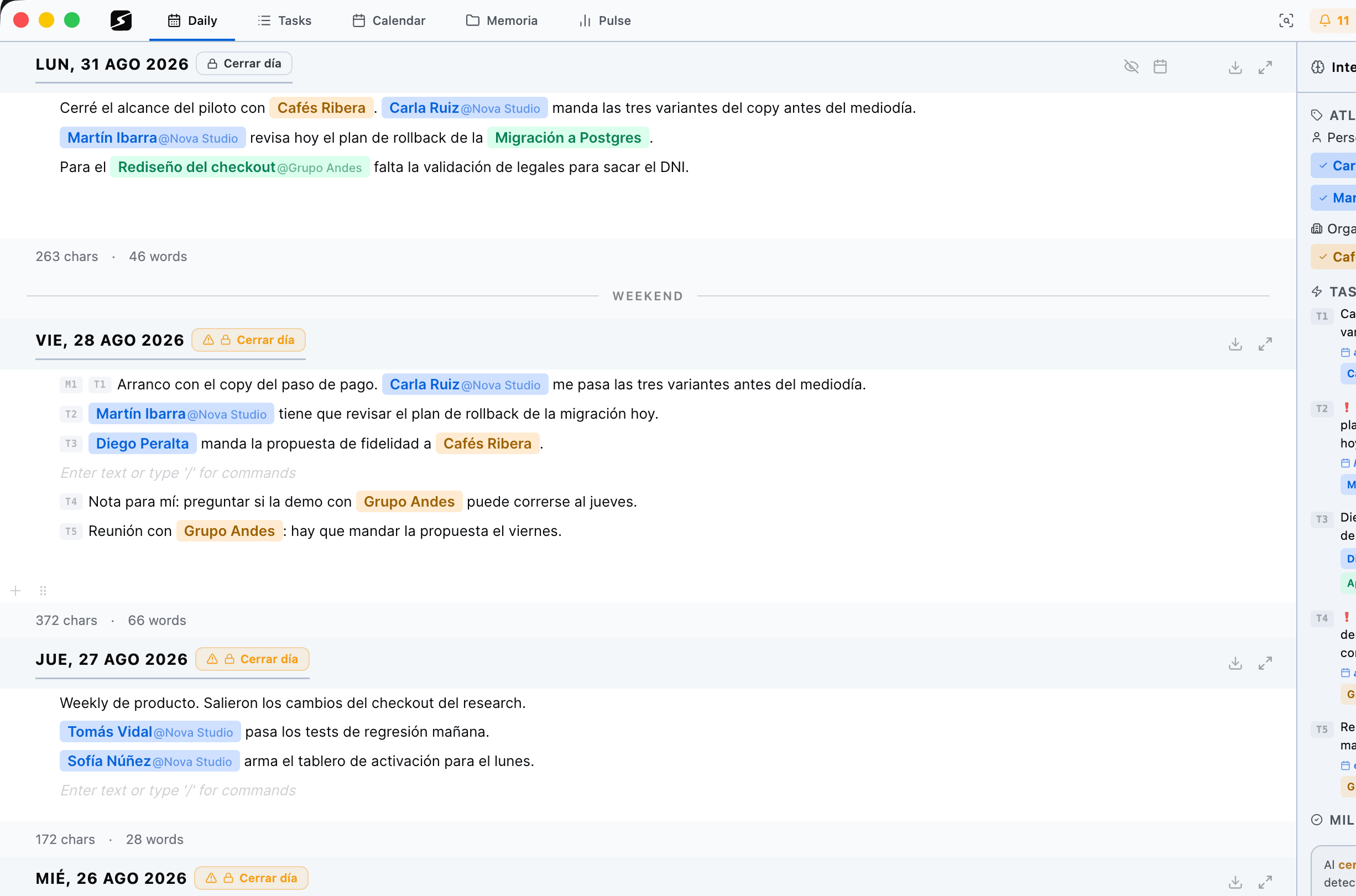
secondbrain daily agenda with tasks and assistant
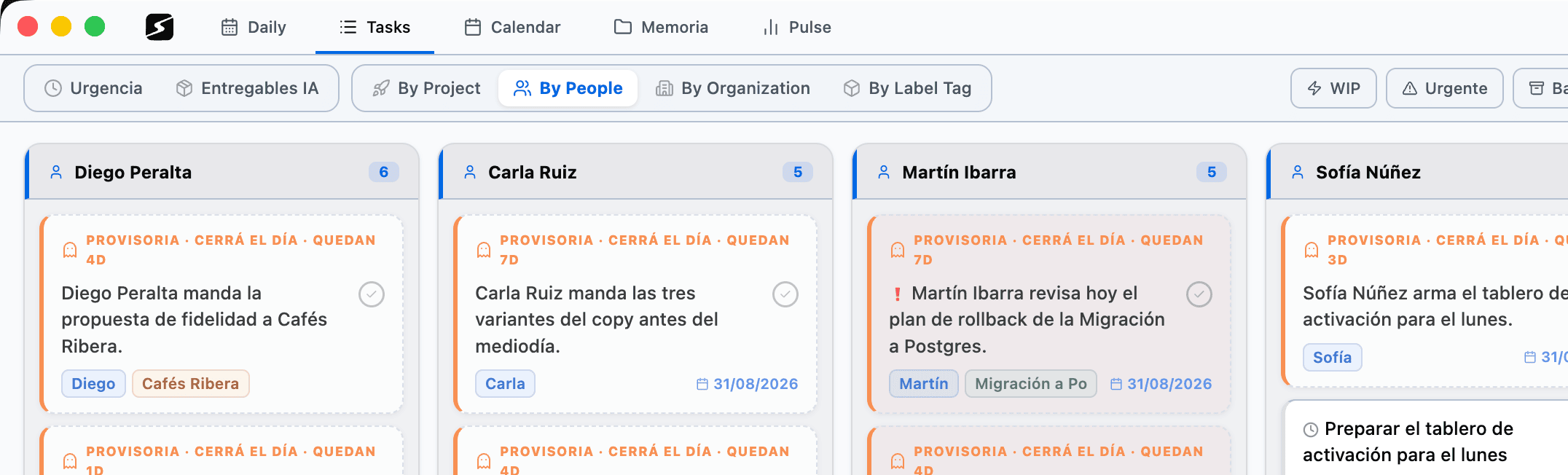
secondbrain tasks by people
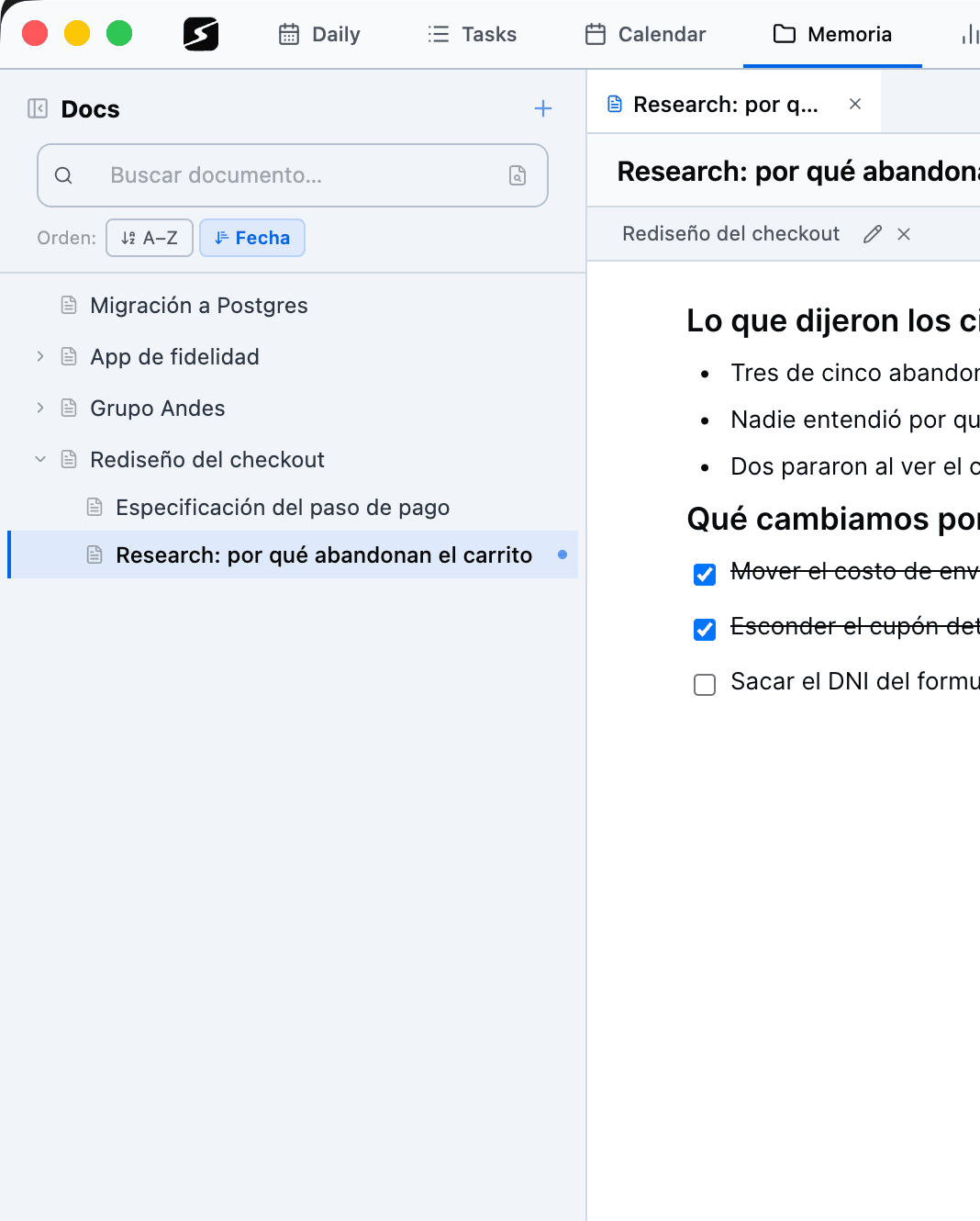
secondbrain memory and documents
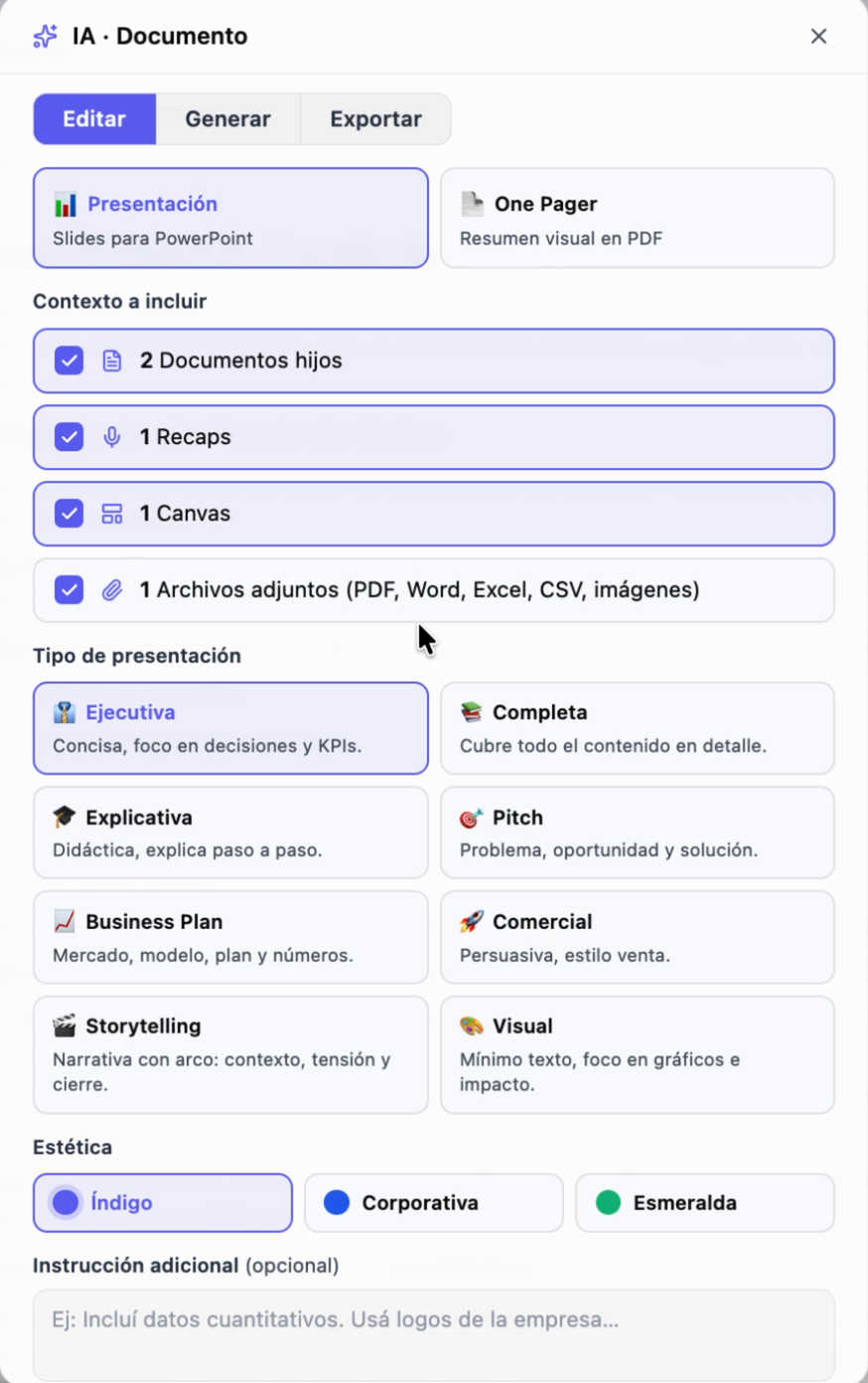
secondbrain AI document generator
DAILY NOTES

Write your day. The rest happens on its own.

The daily note is the way in: one page per day where you just write — and out come the tasks and the knowledge, already organized.

  1. 1

    You write your day

    One page per day: headings, lists, tables, images and files. Drag any block to reorder it.

  2. 2

    AI reads along

    It spots the people, projects and organizations you mention, and flags tasks and milestones.

  3. 3

    The day closes

    On its own, or when you say so. Every detected task is created and lands in your planner.

  4. 4

    It all stays linked

    Each mention links to your Atlas, so your knowledge base builds itself.

Atlas: everything ends up in your knowledge base

Every note leaves links behind. The graph draws them in three layers, from the relation someone declared to the affinity nobody typed.

  • Declared relation Someone stated it: client, team, partner.
  • Wiki link One entity’s article mentions the other.
  • Semantic affinity They keep showing up together in meetings, tasks and docs.
Explore the Atlas
Hover a node to light up its neighbourhood
COORDINATE EFFORTLESSLY

Tasks & Projects
organized by people

See who’s working on what. Prioritize by urgency, project or person, and move the work forward.

  • Tasks extracted by AI from your daily notes
  • Loose ones grouped into deliverables
  • Views by person, project, org or urgency
  • Drag & drop planner with due dates
  • Full change log with archive & rollback
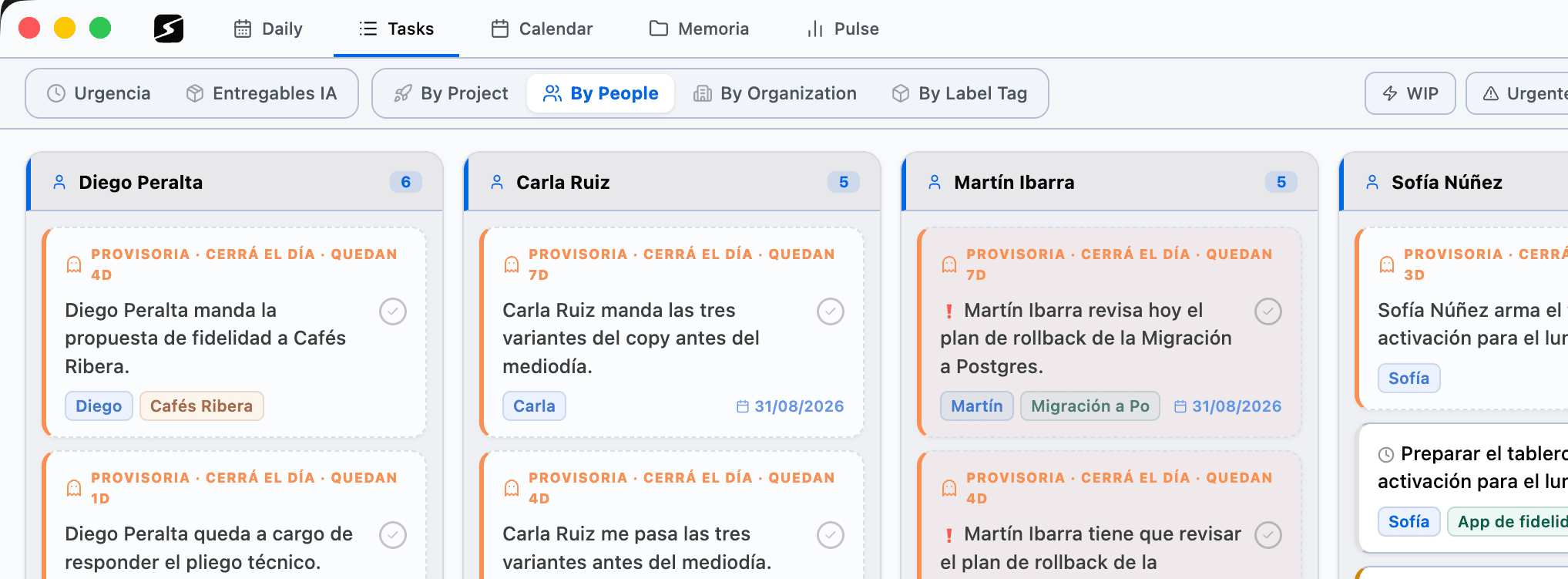
How tasks work
secondbrain coordinate effortlessly
secondbrain plan smarter
PLAN SMARTER

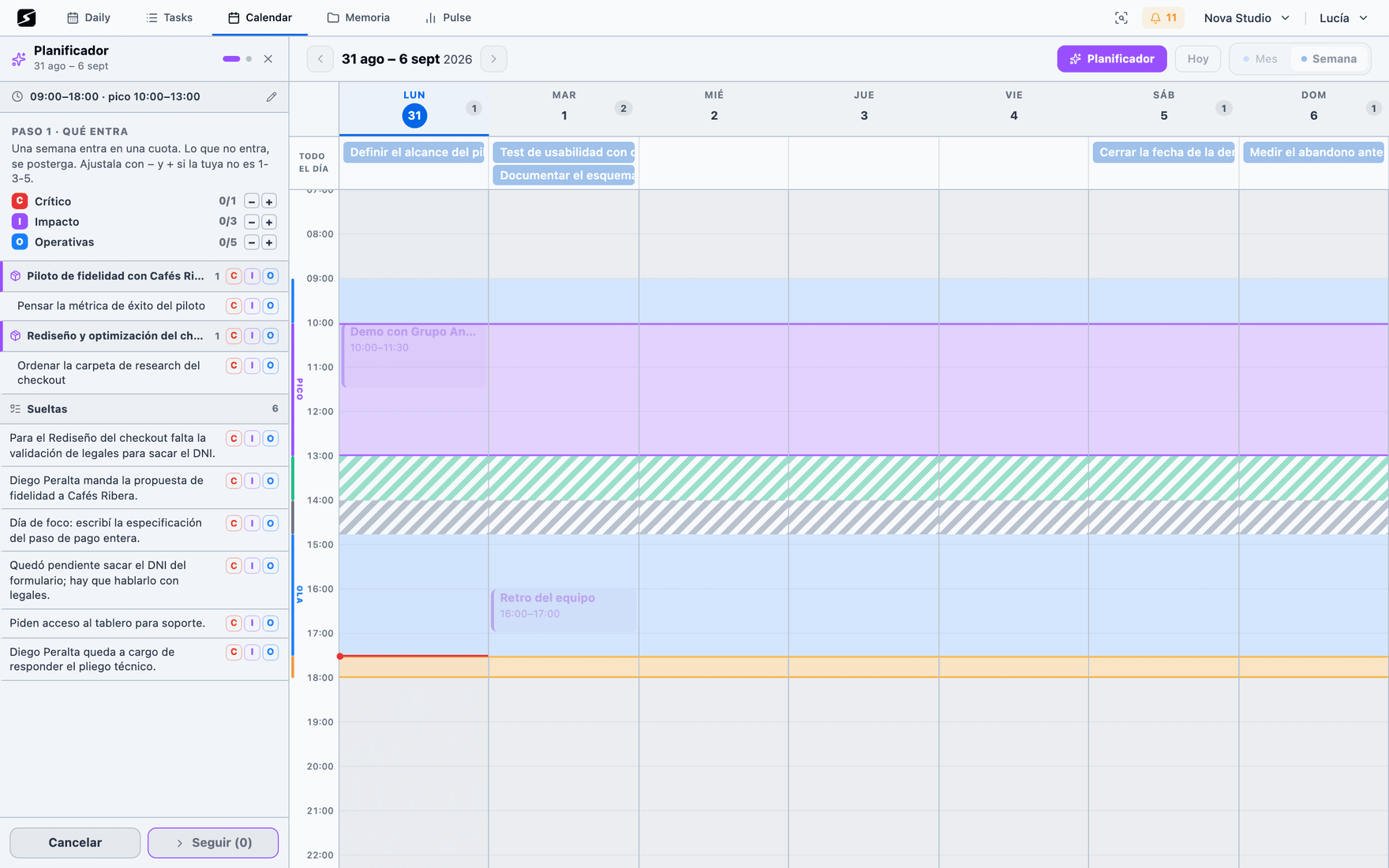
Calendar & Planning
that keeps everything aligned

Visualize your work, time-block your priorities, and sync across calendars. Never miss what matters.

  • Month and week views, drag a task onto a date
  • Week planner: it lays your week out around your peak hours
  • Two-way sync with Google Calendar and Outlook
  • Apple Calendar over iCal, and ClickUp both ways
The planning method
RECAPS

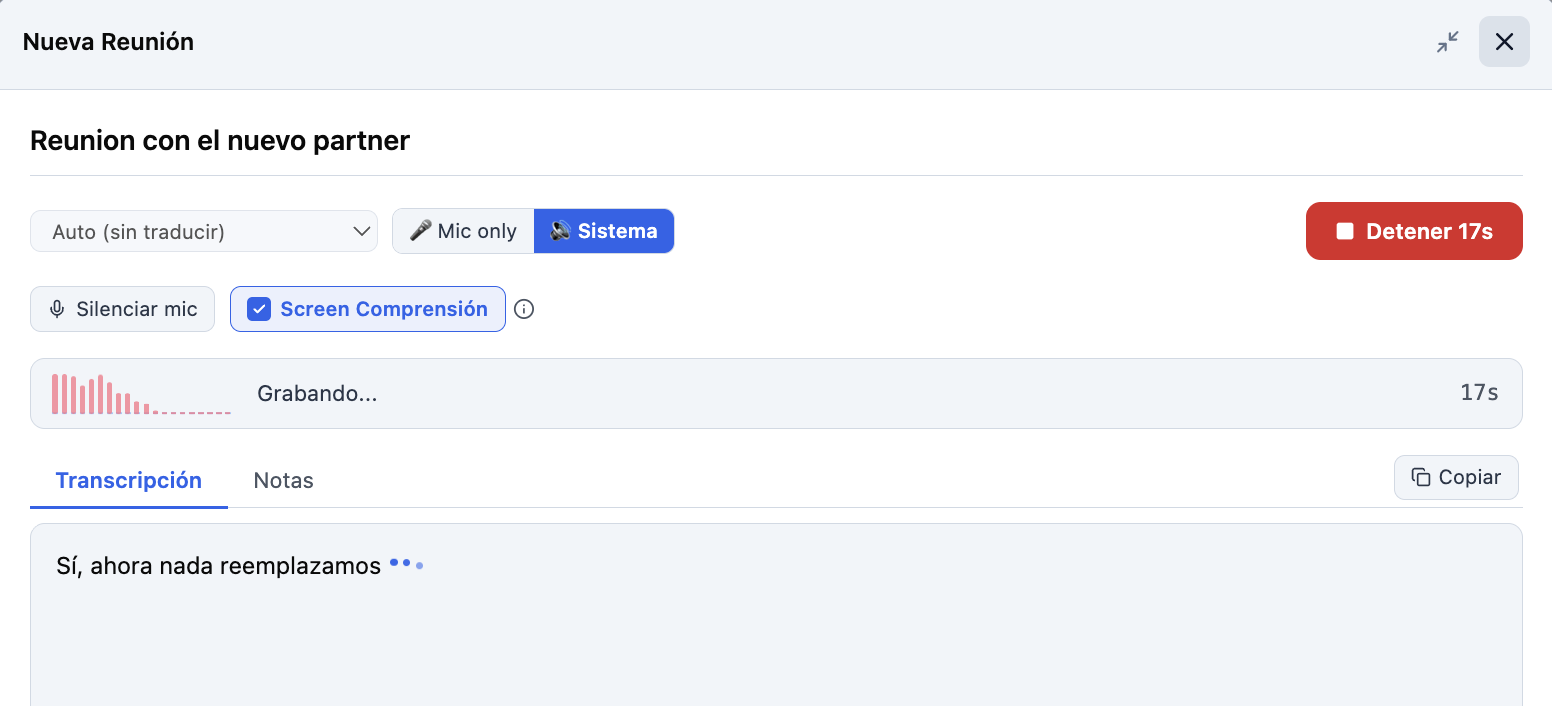
Capture every meeting — audio and screen

secondbrain records your meetings and reads the room. It transcribes live and translates on the fly, and its Screen Comprehension takes snapshots of your screen and understands what’s on it — slides, demos, shared docs. What comes out is a formatted summary and the tasks the meeting left behind.

  • Real-time transcriptionFrom your mic or system audio (Teams, Meet, Zoom)
  • Screen ComprehensionUnderstands slides, demos and shared docs
  • Summaries with your own templatesExecutive, action items, study guide — or the exact format you define
  • Tasks out of every meetingActionables extracted and linked to the person, project or org
Meeting recaps
secondbrain Recaps controls: system audio, Screen Comprehension, live transcription
CREATE & SHARE KNOWLEDGE

Memory, Docs & Research
all in one place

Capture it once and keep it searchable. Work alone or edit in real time with whoever you invite.

  • Live collaboration with cursors and presence
  • Share a document and its whole tree, or publish a public link
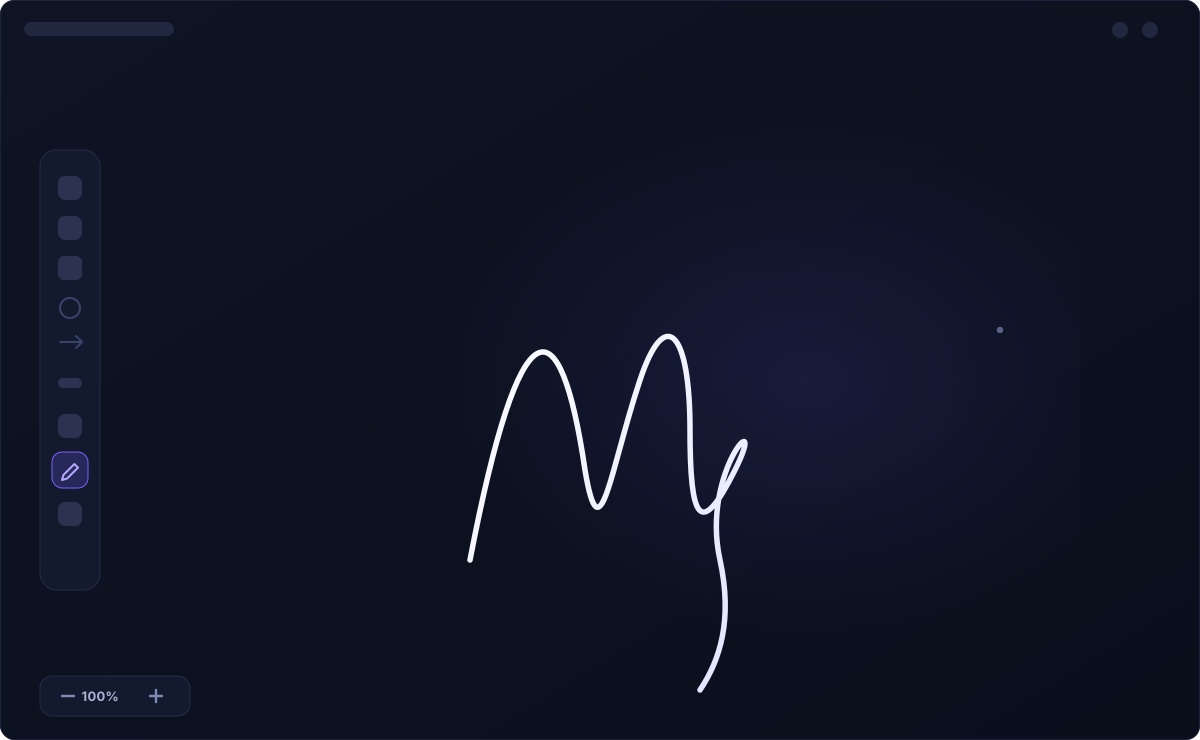
  • Rich editor: Markdown, Mermaid, LaTeX and Apple Pencil canvases
  • Files with PDF, Word and Excel preview — and search across everything
  • AI reports by day, week or month, scheduled and emailed
Everything in Memory
Live collaboration
CanvasDraw with Apple Pencil
secondbrain AI document generator
AI THAT WORKS WITH YOU

AI-Powered Generation
that saves hours

Generate docs and summaries from the context of your own work — inside secondbrain, or from the AI tool you already use.

  • Writes full documents using your docs, recaps and files as context
  • Your own summary templates, also when generating
  • Refine any draft, or create from an image
  • Query and edit your workspace from Claude or ChatGPT over MCP
AI and MCP
WAYS TO CONNECT

Five channels to connect your secondbrain

1

Desktop app & web

The full workspace, in your browser or as a native app for Mac and Windows.

See all
2

Mobile app

Capture, record and listen from your phone — with a widget, Face ID and share-from-any-app.

See all
3

WhatsApp & Telegram

Text it like a person: what you send lands in today's note and voice notes transcribe themselves. From the free plan.

See all
4

MCP

Connect Claude or ChatGPT to your workspace: complex queries, edits and automations.

See all
5

Web Clipper

Save any page from your browser: it gets cleaned up, summarized and filed on its own. Chrome, Edge, Brave and Arc.

See all
Plans

Start free. Stay free.

Use secondbrain for free, with no time limit.

FREE
Free
Free — no time limit

Includes:

  • NotesOne page per day with a full editor: headings, lists, tables, images and files.
  • Chat over WhatsApp & TelegramText the bot and whatever you send lands in today's note. You can also ask it what is due today, your open tasks, or search what you saved, without opening the app.
  • Time-based remindersWrite "remind me tomorrow at 9 to call the accountant" in your note or over chat: it gets saved, becomes a task with a time, and we ping you right then.
  • TasksYour task list with statuses, dates and assignment to people, projects or organizations.
  • Calendar syncGoogle Calendar and Microsoft/Outlook two-way: see your events next to your tasks, and scheduling a task creates the event. Apple Calendar, over iCal subscription.
  • DocumentsFull editor with formatting, tables, code, quotes and images, all reorderable.
  • CanvasInfinite canvas for diagrams, mind maps and visual flows.
  • Transcription · 30 min trialReal-time transcription from microphone or system audio, with automatic translation.
  • AtlasYour knowledge base: people, organizations, projects and entities, how they relate, with a wiki that writes itself from your work plus intellisense to link them in any editor.
  • AI-powered reports · 1 per weekAI-generated summaries by period —day, week, month, quarter, half or year. On the free plan, up to 1 per week per workspace.
  • Storage · 50 MBSecure space for your files and content, with a breakdown of how much you use.
  • MCPConnect secondbrain with Claude, ChatGPT and other AI tools to search your workspace and automate tasks.
HOBBY
$8USD/mo
For professionals

Everything in Free, plus:

  • Reminder alerts over WhatsApp & TelegramThe alert reaches your chat at the time you asked for. On the free plan the reminder still works, but the alert arrives by email and in the app's notification bell.
  • AI task & entity extractionAs you write, AI detects people, projects and organizations and extracts tasks and milestones.
  • AI deliverablesLoose tasks group themselves into deliverables: handfuls of tasks that together produce a result someone is waiting for.
  • Week plannerYou choose what goes into the week and it lays it out on your calendar around when you perform best: hard work at your peak, light work on the second wave.
  • Document read-aloudListen to documents and recaps read aloud with natural voices, in English and Spanish.
  • AI text editing & generationRewrite text with AI or generate full documents using docs, recaps and files as context.
  • Transcription · 20hReal-time transcription from microphone or system audio, with automatic translation.
  • AI summaryAI builds a structured summary of what was said and seen in the meeting.
  • AI-powered reports · UnlimitedAI-generated summaries by period —day, week, month, quarter, half or year. On the free plan, up to 1 per week per workspace.
  • AI theme clusteringOvernight, AI merges repeated themes in your Atlas and retires the ones that no longer add anything, so the map does not fill up with duplicates.
  • Number of spaces · 2Separate workspaces, each with its own content, Atlas and digest.
  • Storage · 1 GBSecure space for your files and content, with a breakdown of how much you use.
7 days free
PRO
$16USD/mo
Everything unlocked

Everything in Hobby, plus:

  • Voice notes & images over WhatsApp & TelegramSend the bot a voice note and it lands transcribed in today's note, or a photo and it goes to Files, ready to turn into a document or canvas.
  • Create from imageUpload a photo of a sketch or handwritten text and AI converts it into a canvas or document.
  • Transcription · 100hReal-time transcription from microphone or system audio, with automatic translation.
  • Screen comprehensionAI also understands what is shown on screen: slides, demos, documents.
  • Scheduled reportsSchedule generation and receive reports by email automatically.
  • Number of spaces · 10Separate workspaces, each with its own content, Atlas and digest.
  • Storage · 10 GBSecure space for your files and content, with a breakdown of how much you use.

Bring your work, your knowledge
and your execution into one intelligent workspace.

Every new account starts with 7 days of Pro. No card required.